

Start here
What "Entry-Level" Actually Means in Smart Home Tech
Next
Device Categories Worth Starting With
Then
Compatibility and Ecosystem: The Decision That Matters Most
Watch for
What to Watch Out For Before You Buy
Finish with
Building Incrementally: A Practical Mindset
What "Entry-Level" Actually Means in Smart Home Tech
"Entry-level" in the smart home space usually refers to devices priced under roughly $30–$50 that handle a single, well-defined task — turning a light on by voice, letting you know if a door opened, or cutting power to an idle appliance. The appeal is obvious: low financial commitment, low installation complexity, and a tangible result you can see the same day.
But entry-level doesn't always mean low risk. A device that becomes unsupported in two years, or one that only works with an app the company has since abandoned, isn't actually cheap — it's a waste. Understanding what you're buying before you buy it is the real money-saver here.
For a broader picture of how smart home tech fits into a tight household budget, the Smart Home Basics hub is a useful place to orient yourself first.
Smart plug
A device that plugs into a standard electrical outlet and lets you control power to whatever is connected — remotely via an app or on a schedule — without any wiring.
Ecosystem
The combination of voice assistant, app platform, and communication protocol that your smart devices use to work together. Devices within the same ecosystem are more likely to be compatible.
Matter
An open industry standard for smart home devices, designed so that products from different manufacturers can work together reliably across major platforms.
Hub
A central device that connects and coordinates other smart home gadgets. Some setups require one; others run entirely through your phone or router without one.
Voice assistant
A software service — like Amazon Alexa, Google Assistant, or Apple's Siri — that lets you control smart devices and get information using spoken commands.
App dependency
When a smart device only works through a specific manufacturer's app, with no support for open standards or third-party platforms, leaving you reliant on that company's continued support.
Device Categories Worth Starting With
Not every device category delivers equal value at the entry level. Some genuinely simplify daily life; others are novelties that collect dust. Here's a plain breakdown of the categories most worth understanding:
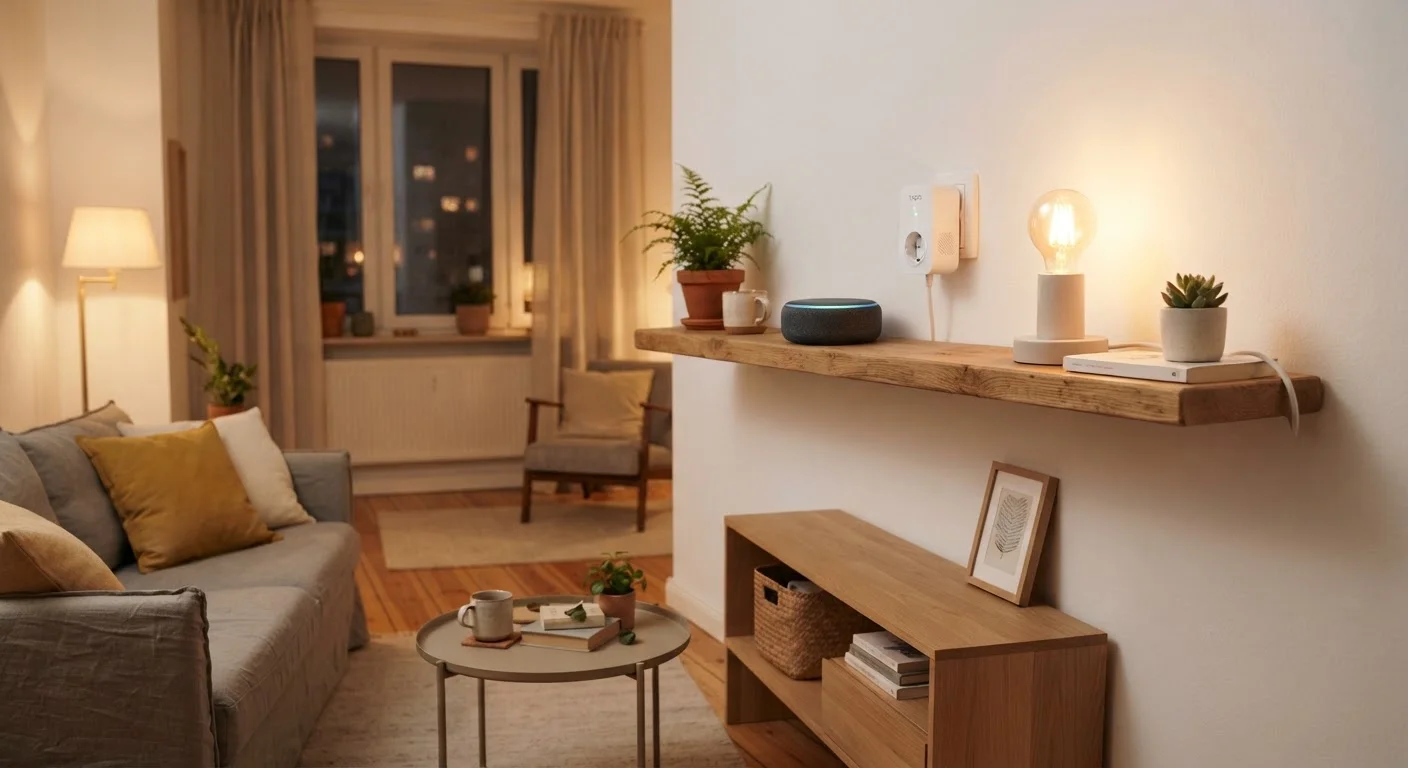
- Smart plugs: Plug into a standard outlet and make whatever's connected to them controllable remotely or on a schedule. No wiring required. Useful for lamps, fans, phone charger stations, or any device you want to power-cycle automatically. If you're renting, these are particularly safe because they're fully portable. See smart plugs vs smart switches for a deeper comparison.
- Smart bulbs: Replace a standard screw-in bulb and connect via Wi-Fi or Bluetooth. They let you adjust brightness, color temperature, and sometimes color — without touching a switch. The tradeoff is that they stop responding if someone flips the physical wall switch off. Smart lighting is explored in more detail in this guide to bulbs, switches, and strips.
- Compact smart speakers / voice assistants: These serve as both an input device and a hub for other smart gadgets. At lower price points, they handle music, timers, reminders, and basic device control reasonably well. Before committing to one, it's worth reading about Alexa, Google Assistant, and Siri side by side.
- Door and window sensors: Small, battery-powered devices that detect whether something is open or closed. Useful for security awareness or simple automations like turning on a light when a door opens.
Compatibility and Ecosystem: The Decision That Matters Most
The single most consequential decision in any smart home setup isn't which device to buy first — it's which ecosystem to build around. An ecosystem is the combination of voice assistant, app platform, and communication standard that ties your devices together.
The three dominant voice assistant ecosystems in the US are Amazon Alexa, Google Home, and Apple HomeKit (Siri). Each has its own strengths and device compatibility profiles. Mixing ecosystems is possible but tends to create friction: automations break, apps multiply, and troubleshooting becomes harder.
A newer open standard called Matter — backed by most major platforms — is gradually making cross-brand compatibility more reliable. When evaluating any device, checking whether it supports Matter is increasingly a useful filter for longevity.
If you're not sure where to begin, the first smart home setup guide walks through decisions in a practical order, starting with what actually matters on a tight budget.
What to Watch Out For Before You Buy
Watch for Subscription Fees and App Lock-In
Many entry-level smart home devices advertise a low upfront price but charge monthly fees for core features like cloud storage, advanced scheduling, or multi-device control. Before buying, check what the device does without a subscription and whether it relies solely on a proprietary app. If the app is discontinued, the device may stop working entirely — regardless of how much you paid for it.
A few common pitfalls are worth knowing before you spend anything:
- Subscription dependencies: Some devices offer basic features for free but lock useful functions (like cloud storage for cameras, or advanced automations) behind a monthly fee. Read the fine print before assuming what's included. The hidden ongoing costs of smart home devices covers this in depth.
- App-only control: If a device only works through its manufacturer's proprietary app with no voice assistant or Matter support, you're locked into that ecosystem entirely. If the company folds or drops the app, the device becomes a paperweight.
- Wi-Fi congestion: Every device you add to your home network competes for bandwidth. Budget routers handling 15+ connected devices can struggle. Common reasons smart home setups fail explains how weak Wi-Fi is one of the most frequent culprits.
- Privacy considerations: Smart speakers and cameras in particular collect data. Common misconceptions about smart home privacy separates the real concerns from the inflated ones.
Building Incrementally: A Practical Mindset
The temptation with a low price point is to buy several devices at once and automate everything immediately. That approach almost always creates more frustration than value. A single device that works reliably and actually changes your daily habits is more useful than five that require constant troubleshooting.
A reasonable starting sequence: pick one device category, confirm it works with your existing Wi-Fi and phone platform, use it for a few weeks, then decide what problem to solve next. This also gives you time to notice whether the device's app or service is being actively maintained — a signal of long-term viability.
If you're renting, the constraints are worth understanding upfront. What renters can and cannot change is a practical read before committing to anything that touches walls or wiring.
Smart home tech at the entry level is genuinely accessible — but it rewards patience and a bit of research over impulse buying. The goal isn't a home full of connected gadgets; it's a home where the right few devices quietly make things easier. For more ways to run a comfortable household without overspending, the Low-Cost Home Life hub offers a wider framework.
This article is for general informational and educational purposes only. It does not constitute financial, legal, or professional advice. Costs, product availability, and platform support can change; verify details with manufacturers and relevant sources before making purchasing decisions.
Frequently Asked Questions
Smart plugs are widely considered the simplest entry point. They require no wiring, work with most Wi-Fi networks, and can make any standard lamp or appliance remotely controllable. They're also easy to take with you if you move.
Many entry-level devices connect directly to your home Wi-Fi and are controlled through a smartphone app or voice assistant — no separate hub required. However, some device categories and more advanced automations do benefit from a hub. See our guide on hub-based vs hub-free setups for a fuller breakdown.
Devices that don't require permanent installation — such as smart plugs, portable speakers, or screw-in smart bulbs — are generally renter-friendly. Anything involving wiring or wall modifications typically requires landlord permission. Always check your lease before making changes.
It's a real risk. Smaller manufacturers sometimes discontinue app support, which can render a device useless. Sticking with devices that support open standards like Matter or have a long public support history reduces this risk considerably.
Most individual devices draw very little power in standby mode, but a house full of always-on connected devices can add a modest amount to your monthly bill. Smart plugs with energy monitoring can help you track actual usage before it becomes a surprise.
Often yes, particularly if devices share a common standard like Matter or connect through a voice assistant platform such as Alexa or Google Home. However, cross-brand automations can be unreliable, so it's worth checking compatibility before purchasing.
The content provided on our blog site traverses numerous categories, offering readers valuable and practical information. Readers can use the editorial team’s research and data to gain more insights into their topics of interest. However, they are requested not to treat the articles as conclusive. The website team cannot be held responsible for differences in data or inaccuracies found across other platforms. Please also note that the site might also miss out on various schemes and offers available that the readers may find more beneficial than the ones we cover.